Automate with Tasker
To automate recording with Tasker, create a new Macro and follow the steps below:
1. Create a task
Section titled “1. Create a task”Select System and Send Intent:


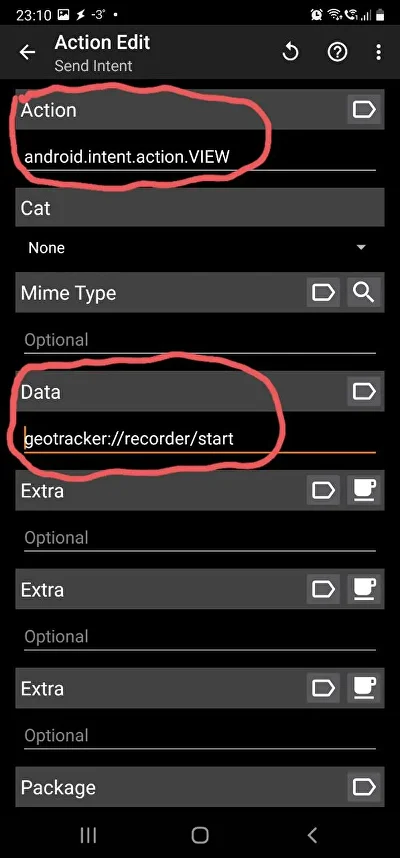
2. Fill in the data
Section titled “2. Fill in the data”- Target: Activity
- Action:
android.intent.action.VIEW - Data: pick from the table below
| Action | Data |
|---|---|
| Start recording new track | geotracker://recorder/start |
| Stop recording | geotracker://recorder/stop |
| Pause recording | geotracker://recorder/pause |
| Resume recording | geotracker://recorder/resume |